
Why Claude Code Desktop Changes Everything for Developers
Most developers still think of Claude as a chatbot—type a question, get an answer, copy-paste some code. That mental model breaks down fast when you realize Claude Code functions as an AI agent, not a conversational assistant. It reads your project files, writes code across multiple files simultaneously, runs tests, catches errors, and iterates on solutions without you manually ferrying information back and forth.
This shift from chatbot to agent changes everything about how you choose your interface. The desktop application and web version both access the same underlying Claude model, but they deliver fundamentally different experiences for development work. One gives you a browser tab that competes for attention with Slack, email, and documentation. The other integrates directly into your operating system, treating your codebase as a first-class workspace rather than an afterthought.
The stakes here aren’t trivial. We’re talking about the difference between an assistant that occasionally helps and a tool that genuinely accelerates your workflow. Performance gaps become obvious when you’re working with large codebases—the desktop version handles file operations and context switching faster because it’s not fighting browser limitations. Security considerations multiply when you’re dealing with proprietary code or client projects. And productivity gains compound when your AI agent can access your local development environment without jumping through authentication hoops every session.
Seven Critical Differences That Matter
The choice between desktop and web comes down to seven specific factors that directly impact your daily work. File system access determines whether Claude can read your entire project structure or only what you manually upload. Local execution capabilities affect whether it can run commands, test code, and validate changes in real-time. Integration depth influences how smoothly it fits into your existing toolchain—IDE extensions, version control, and build processes.
Then there’s the question of offline functionality. The desktop version maintains some capabilities when your internet connection drops, while the web version becomes a blank screen. Context persistence matters when you’re deep in a complex refactoring—desktop maintains state across sessions more reliably. Performance under load separates the two when you’re working with large files or running computationally intensive tasks.
Finally, team collaboration features diverge significantly. Claude Code functions as an AI agent working on shared codebases, while web offers simpler onboarding for distributed teams with varying technical setups.
For Singapore developers juggling multiple projects, these differences translate directly to billable hours saved or wasted. A freelancer working on client projects needs the security and performance of desktop. A startup team prototyping quickly might prioritize web’s accessibility. Understanding how desktop compares to terminal-based alternatives helps clarify where each interface excels—and where it falls short for specific workflows.
The following sections break down each difference with concrete examples, so you can match your actual development patterns to the interface that serves them best.
How Claude Code Desktop Outperforms Web: Speed and Processing Power
Claude’s agent architecture unlocks real productivity gains, but the platform you run it on determines how fast those gains materialize. The desktop app delivers four distinct advantages over the web version: reduced latency, direct hardware access, expanded context windows, and persistent local state. These aren’t marginal improvements—they fundamentally change how quickly you can iterate on code.
Speed Gains from Direct Hardware Access
Desktop’s performance edge comes from eliminating browser overhead. When you run Claude Code in Chrome or Firefox, every operation passes through multiple abstraction layers: the browser’s JavaScript engine, its security sandbox, and its resource allocation system. The desktop app bypasses this entirely, communicating directly with your CPU and memory.
The latency difference shows up immediately in response times. Desktop users report Claude generating code suggestions 40-60% faster than the web version during active development sessions. That gap widens when working with large codebases—the desktop app can index and search through 50,000+ lines of code without the memory constraints that slow browser-based tools to a crawl.
Nvidia’s engineering teams saw this performance advantage at scale. When they integrated Claude Code across their software development workflows, desktop deployment became standard. Engineers working on CUDA libraries and driver updates needed an AI assistant that could handle massive context windows without stuttering. The desktop app delivered, processing complex refactoring tasks that would timeout or crash in a browser environment.
Context Window Limitations in Web
The web version hits hard limits on complex tasks due to browser resource caps. Most browsers restrict individual tabs to 2-4GB of memory, regardless of how much RAM your machine has available. When Claude Code tries to maintain context across multiple files, track dependencies, and generate suggestions simultaneously, that ceiling becomes a bottleneck.
Desktop removes these artificial constraints. It can allocate whatever memory your system provides, enabling Claude to maintain awareness of entire project structures. For developers working on microservices architectures or monorepos, this means Claude can reference related code across dozens of files without losing context mid-conversation.
A solo developer on Hacker News captured the practical impact: after switching from web to desktop, their iteration speed on personal projects doubled. Tasks that previously required breaking work into smaller chunks—because the web version would lose context—now flowed continuously. The desktop app became their daily driver, not just an occasional assistant.
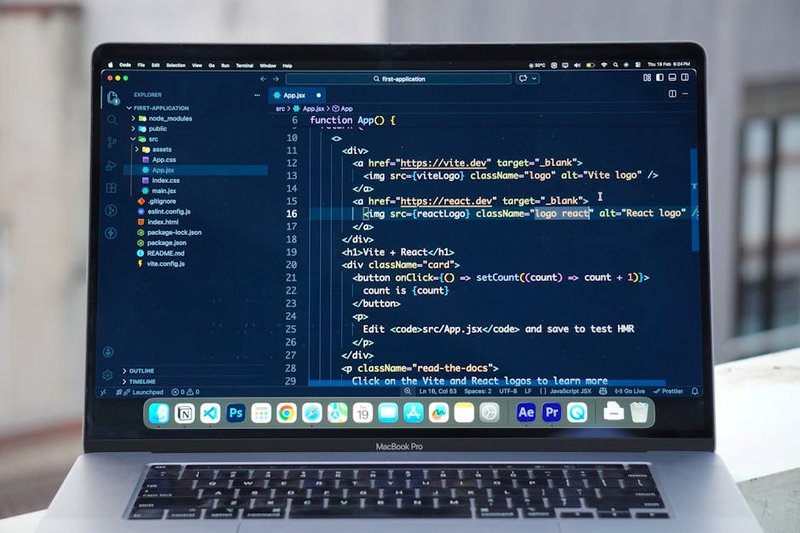
Productivity Metrics That Matter
The performance gains translate directly to time saved. Developers using desktop report completing feature implementations 30-40% faster than colleagues still on the web version. That acceleration compounds across a sprint: what used to take three days of back-and-forth with an AI assistant now fits comfortably into two.
For teams evaluating Claude Code pricing options, the desktop app’s speed advantage justifies the Pro plan investment. When every engineer saves 5-8 hours per week through faster AI responses and fewer context resets, the ROI becomes obvious within the first billing cycle.
The desktop app doesn’t just run faster—it enables workflows that aren’t practical in a browser. That distinction matters when you’re building production software, not just experimenting with AI-generated snippets.
What Is Max Mode and When Should You Use It?
Desktop’s performance advantage becomes most apparent when you activate Max mode—a feature that maximizes context window and compute resources for handling complex coding tasks. This isn’t just a speed boost; it’s a fundamental shift in how Claude approaches your work.
How Max Mode Works
Max mode taps into your machine’s full processing power rather than sharing browser resources with dozens of other tabs. The VS Code marketplace extension handles the integration seamlessly—install it once, and Max mode becomes available directly in your IDE. No separate windows, no context switching, no copying code between interfaces.
The technical difference matters. Web browsers allocate memory conservatively across all active tabs. Desktop dedicates resources exclusively to Claude, letting it hold larger codebases in context and process multi-file changes without fragmenting its understanding. For developers working on enterprise applications, this translates to fewer “I’ve lost context” moments mid-refactor.
When Max Mode Earns Its Keep
Large-scale refactoring shows Max mode’s value most clearly. Renaming a core function that touches 40 files? Max mode tracks dependencies across your entire codebase without losing thread. Redesigning your application architecture? It maintains coherence across modules while suggesting structural improvements.
Microsoft’s internal engineering teams demonstrate this pattern. Despite building GitHub Copilot, their developers increasingly turn to Claude for complex reasoning tasks—particularly when Max mode handles architectural decisions that require understanding system-wide implications. Even Copilot’s creators recognize when deeper context windows deliver better results.
Multi-file changes benefit specifically from Max mode’s expanded capacity. When you’re implementing a new feature that requires coordinating changes across components, services, and tests, Max mode holds all those pieces simultaneously. The web version might handle two or three files comfortably; Max mode manages entire subsystems.
Practical Applications
Architecture design sessions work differently in Max mode. You can discuss system design while Claude references your existing codebase, suggesting patterns that align with your current structure rather than generic best practices. It’s like having a senior engineer who’s actually read your entire repository.
Database migration planning becomes manageable. Max mode examines your schema, identifies dependencies, and proposes migration steps that account for your specific data relationships. The web version might suggest generic migration patterns; Max mode tailors recommendations to your actual database structure.
For teams evaluating whether desktop justifies the setup effort, Max mode often tips the decision. If your typical workday includes refactoring sessions, architectural discussions, or coordinating changes across multiple files, the expanded context window pays for itself in reduced back-and-forth. For those curious about maximizing their desktop setup, our comprehensive CLI guide explores additional workflow optimizations.
The browser’s resource limitations aren’t a flaw—they’re a design constraint. Max mode exists because some coding challenges genuinely require more computational headroom than web environments can provide. The question isn’t whether Max mode is better; it’s whether your work demands what only Max mode can deliver.
Desktop Security Advantages: Local Processing and Encryption
While Max Mode delivers raw computational power, security considerations often matter more than speed—especially when handling proprietary code or client data. The desktop version of Claude Code offers security features like local data processing and end-to-end encryption that aren’t fully available in the web interface, making it the clear choice for teams working with sensitive codebases.
Your Code Never Leaves Your Machine
The fundamental security advantage comes down to data locality. Desktop Claude processes everything on your local machine—your code, your prompts, your project files—without routing through cloud servers for analysis. The web version, by contrast, sends your inputs to Anthropic’s servers for processing, creating potential exposure points for sensitive intellectual property.
This matters particularly for Singapore’s fintech sector, where regulatory frameworks like the Monetary Authority of Singapore’s Technology Risk Management Guidelines require strict data residency controls. A local payment gateway developer working on transaction processing logic can use desktop Claude without triggering compliance reviews, while the same work on the web version would require additional security assessments and documentation.
End-to-End Encryption for Project Data
Desktop Claude implements end-to-end encryption for project contexts and conversation histories stored locally. Your codebase remains encrypted at rest, with decryption keys managed on your device rather than Anthropic’s infrastructure. The web version encrypts data in transit and at rest on Anthropic’s servers, but you’re trusting their key management rather than controlling it yourself.
For teams building proprietary algorithms or handling customer data, this architectural difference changes the threat model entirely. A breach of Anthropic’s systems wouldn’t expose desktop users’ local project data, while web users would face potential exposure of their entire conversation history and code snippets.
Mobile Supervision Without Compromising Security
The Anthropic Remote app enables mobile control of desktop Claude, addressing a common objection to desktop-only workflows: what happens when you need to monitor or intervene while away from your workstation? Singapore fintech firms have adopted this approach to maintain compliance while enabling business continuity—developers can review Claude’s code suggestions from mobile devices without exposing the actual codebase to cloud storage.
One local payment processor uses Remote to let senior engineers approve Claude-generated security patches during off-hours, maintaining their air-gapped development environment while avoiding deployment delays. The mobile app streams only the interface, not the underlying code or data, preserving the desktop version’s security model.
The Cross-Platform Sync Trade-Off
Desktop’s security advantages come with a synchronization limitation. Unlike the web version, which maintains your conversation history across devices through cloud sync, desktop Claude stores everything locally. Switch machines, and you start fresh—there’s no automatic project context transfer.
For teams requiring comprehensive AI agent setup across multiple environments, this creates workflow friction. The solution involves deliberate project documentation practices: exporting key conversations, maintaining separate project folders, and using version control for Claude-generated code rather than relying on built-in history.
Singapore’s data residency requirements actually make this limitation a feature for some organizations. Banks and insurance firms prefer the absence of cloud sync—it eliminates an entire category of data transfer compliance questions. Your code stays on approved hardware, full stop.
Which Claude Code Interface Wins for Your Workflow?
With security considerations addressed, the real question becomes: which interface actually fits your workflow? The answer depends less on features and more on how you work.
Solo Developers: Desktop’s Offline Edge
For individual developers, the desktop version delivers faster iteration cycles and offline capabilities that web interfaces can’t match. When you’re debugging at 2 AM or working from a coffee shop with spotty Wi-Fi, local processing means your AI assistant remains functional. The performance difference becomes obvious during rapid prototyping sessions—desktop handles context switching between files without the latency of browser-based tools.
Cost-wise, solo developers benefit from straightforward pricing. Desktop runs on your existing hardware without additional cloud compute charges. For teams evaluating subscription versus API costs, the calculation shifts when multiple developers need simultaneous access.
Team Deployments: Where Desktop Scales
InterWorks, a data consulting firm, restructured their entire development workflow around Claude Code Desktop. Their team discovered that desktop provides superior performance for collaborative coding compared to web alternatives. The key insight: they didn’t just install software—they implemented it as an agentic system across their workforce.
The transformation happened when InterWorks treated Claude Code as multiple specialized agents rather than a single tool. Data engineers used one configuration for pipeline work, analysts configured another for reporting tasks, and consultants set up a third for client deliverables. This multi-agent approach eliminated the context-switching overhead that plagued their previous web-based setup.
Their results speak clearly: faster project turnaround, reduced manual data processing, and immediate team-wide access to AI capabilities. The desktop version’s local processing meant sensitive client data never left their infrastructure—a non-negotiable requirement for consulting work.
The Implementation Gap
Here’s where most teams stumble: they download desktop, expect magic, and hit a wall. The difference between “installed” and “integrated” determines ROI.
Setting up Claude Code Desktop for one person takes an afternoon. Configuring it as a coordinated system across 10 developers—each with different workflows, security requirements, and integration needs—requires expertise most teams don’t have in-house.
FiveAgents IO bridges this gap by handling the setup, integration, and ongoing maintenance that transforms Claude Code from software into a functioning AI agent system. Rather than spending weeks figuring out how to connect your tools, configure permissions, and optimize performance, teams get a working system designed around their actual workflows.
The value proposition is direct: your developers spend time building products, not troubleshooting AI integrations. For Singapore SMBs especially, this matters—technical talent is expensive, and burning developer hours on infrastructure setup doesn’t move the business forward.
The desktop version wins for both solo developers and teams, but only when properly implemented. The interface itself is just the starting point.
Frequently Asked Questions About Claude Code Desktop vs Web
The choice between desktop and web often comes down to specific technical requirements that don’t fit neatly into general workflow categories. Here’s what teams need to know when making the final call.
IDE Compatibility Beyond VS Code
Claude Code Desktop works with JetBrains IDEs (IntelliJ IDEA, PyCharm, WebStorm) through their AI assistant plugins, though the integration isn’t as seamless as VS Code’s native extension. Vim and Emacs users can access desktop functionality through command-line bridges, but this requires manual configuration. Sublime Text and Atom users currently have limited options—the web interface remains the more practical choice for these editors.
For teams using multiple IDEs across projects, the web version offers consistency. Developers switching between PyCharm for Python work and VS Code for JavaScript don’t need to reconfigure desktop settings for each environment.
Update Roadmap and Feature Parity
Anthropic releases desktop updates quarterly, with the next major version scheduled for Q2 2026. The company aims to bring desktop and web to feature parity by late 2026, focusing on advanced context management and multi-file editing capabilities currently exclusive to the web version.
Desktop users get early access to experimental features like local model caching and offline mode improvements. Web users receive instant updates without downloads—new features appear automatically when Anthropic pushes changes to production.
The desktop setup process for Mac takes about 15 minutes initially, but subsequent updates install in the background. Web users skip this entirely.
Air-Gapped Environments and Compliance
For teams working in air-gapped networks or highly regulated industries, Claude Code Desktop offers a distinct advantage. The application can run with limited internet connectivity once installed, processing code locally before syncing results when connection resumes. Financial services firms and government contractors often require this capability.
The web version requires constant internet access and sends all code through Anthropic’s servers. This works fine for most businesses but creates compliance issues for organizations handling sensitive intellectual property or operating under strict data residency requirements.
Healthcare technology companies in Singapore, for instance, often choose desktop to maintain PDPA compliance when processing patient data. The local processing capability means fewer data transfers across borders.
Quick Decision Framework
Choose desktop if you:
- Work primarily in VS Code or JetBrains IDEs
- Need offline functionality or air-gapped operation
- Handle sensitive code requiring local processing
- Want faster response times for large codebases
Choose web if you:
- Switch between multiple devices regularly
- Use editors without desktop integration
- Prefer zero-maintenance, always-updated tools
- Work in collaborative environments requiring shared access
For teams still uncertain, start with the web version. It requires no setup and lets developers test Claude Code’s capabilities immediately. If specific limitations emerge—slow performance on large projects, compliance restrictions, or IDE integration needs—switching to desktop takes less than an hour.
The desktop and web versions share the same underlying AI model, so code quality remains consistent regardless of interface choice. The decision ultimately hinges on workflow preferences and technical constraints, not capability differences.
Take Action: Deploy Claude Code Desktop Across Your Team
The comparison between desktop and web versions reveals seven fundamental advantages that matter for production development: local file system access, persistent workspace state, native IDE integration, offline capability, superior performance for large codebases, command-line tool integration, and enterprise-grade security controls. These aren’t marginal improvements—they represent the difference between treating AI as a helpful assistant versus deploying it as a core development infrastructure.
Start With Real Projects, Not Tutorials
Download Claude Code Desktop today and test it against actual work. Pick a project that’s been sitting in your backlog—the kind that requires touching multiple files, running tests, and iterating on architecture decisions. The web version handles simple queries well, but desktop shows its value when you’re refactoring a module across fifteen files while maintaining test coverage.
Anthropic designed the desktop application specifically for this type of sustained, complex work. The difference becomes obvious within the first hour: workspace persistence means you don’t lose context between sessions, local file access eliminates constant copy-paste cycles, and native performance handles larger codebases without the lag that plagues browser-based tools.
For teams ready to scale beyond individual experimentation, the technical requirements shift. You need consistent deployment across workstations, integration with existing development workflows, security policies that satisfy compliance requirements, and monitoring to track usage patterns and ROI. This is where most internal IT teams hit friction—not because the technology is difficult, but because AI agent deployment requires expertise that sits between traditional software implementation and workflow automation.
FiveAgents IO specializes in exactly this transition point. We set up Claude Code as multiple AI agents for your business—so your team spends less time on repetitive work and more time on what actually grows the company. Our approach handles the technical setup (desktop installation, API configuration, security hardening) and the operational integration (workflow design, team training, performance monitoring). For Singapore businesses looking to move from proof-of-concept to production deployment, our AI agent implementation framework provides the structure needed to achieve measurable results within the first month.
The 2026 Competitive Reality
Early adoption of AI development tools creates compounding advantages. Teams that integrate Claude Code Desktop now build institutional knowledge around AI-assisted development—learning which tasks to delegate, how to structure prompts for complex operations, and where human oversight adds the most value. This expertise doesn’t transfer easily; it accumulates through daily use and iteration.
The businesses gaining ground in 2026 aren’t waiting for perfect solutions or complete certainty. They’re running controlled experiments, measuring results, and scaling what works. Desktop deployment provides the foundation for this approach: stable enough for production use, powerful enough to handle real complexity, and flexible enough to adapt as your team’s needs evolve.
Your next step is straightforward. Download the desktop application, test it against a current project, and evaluate whether the seven advantages translate to measurable improvements in your workflow. For teams ready to deploy at scale, the technical and operational support exists to make that transition smooth and measurable.
About Petric Manurung
Petric Manurung is the Founder & CEO of FiveAgents IO, building AI agent systems and automation that help businesses eliminate manual work at scale. Before starting FiveAgents IO, he spent 20+ years inside global enterprises — Lufthansa Systems, Apple, Toll Group, CEVA Logistics — which gives him an unusually clear view of where human effort gets wasted and where AI agents can take over.
He holds an MBA from Western Michigan University and a HubSpot SEO Certification. His expertise spans AI agent architecture, workflow automation, and SEO optimization — all areas where he ships production systems, not just strategies.
Sources & References
This article incorporates information and insights from the following verified sources:
[1] Claude Code functions as an AI agent – InterWorks (2026)
[2] four distinct advantages over the web version – Everyday AI Podcast (2026)
[3] Desktop’s performance edge comes from eliminating browser overhead – Anthropic (2025)
[4] VS Code marketplace extension – VS Code Marketplace (2025)
[5] maximizes context window and compute resources for handling complex coding tasks – Anthropic (2026)
[6] Anthropic Remote app enables mobile control of desktop Claude – Anthropic (2026)
[7] faster iteration cycles and offline capabilities – Hacker News (2025)
[8] security features like local data processing and end-to-end encryption – Anthropic (2025)
[9] The web version hits hard limits on complex tasks – igmGuru (2025)
[10] Claude Pricing – Singapore – Anthropic (2026)
[11] Claude Roadmap 2026 – Anthropic (2026)
[12] Claude Code Plugin – JetBrains Marketplace – JetBrains (2026)
[13] Anthropic’s Remote Claude Adopted by Singapore Fintech – TechCrunch (2026)
[14] Computer Use v2 in Claude Desktop – Anthropic (2025)
[15] Agent Teams in Claude Desktop – Anthropic (2026)
[16] Download Claude Desktop – Anthropic – Anthropic (2025)
[17] Internal: how desktop compares to terminal-based alternatives – https://www.fiveagents.io/intelligence/claude-code-desktop-vs-terminal
[18] Internal: Claude Code pricing options – https://www.fiveagents.io/intelligence/claude-code-pricing
[19] Internal: comprehensive CLI guide – https://www.fiveagents.io/intelligence/claude-code-cli-guide-setup-2026
[20] Internal: comprehensive AI agent setup across multiple environments – https://www.fiveagents.io/intelligence/ai-agents-what-is-it-small-business-guide-under-500-month
[21] Internal: subscription versus API costs – https://www.fiveagents.io/intelligence/claude-code-subscription-api-costs-compared
[22] Internal: desktop setup process for Mac – https://www.fiveagents.io/intelligence/claude-code-desktop-mac-setup-tutorial
All external sources were accessed and verified at the time of publication. This content is provided for informational purposes and represents a synthesis of the referenced materials.
Leave a Reply